Here is a tutorial on how to do poses (see editing tutorial for more information on the editing basiscs)
You need to start by finding an image you would like to make a pose of. Open it in paint.net and create a new layer to place a bimbos head on.
Resize the image so that it fits the head correctly. NEVER EVER resize the bimbos head.
Also create a new layer called Outline.
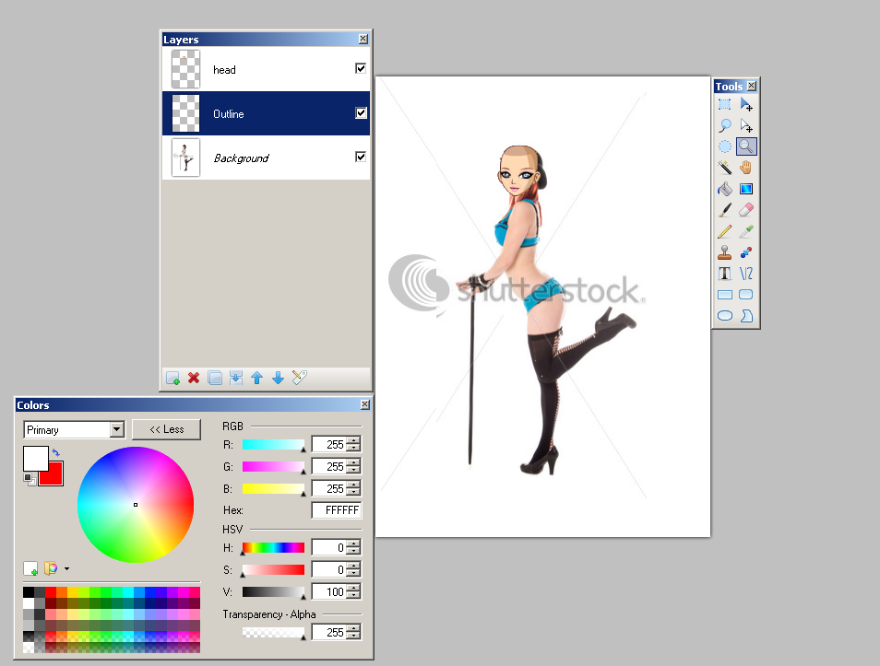
Next on the outline layer draw in the shape of the body only using a colour that will stand out.
Note. The less clothes are in the way the easier this is, if your great at drawing (unlike me) you will find it easier to fill in the missing information if you cant see part of her properly.
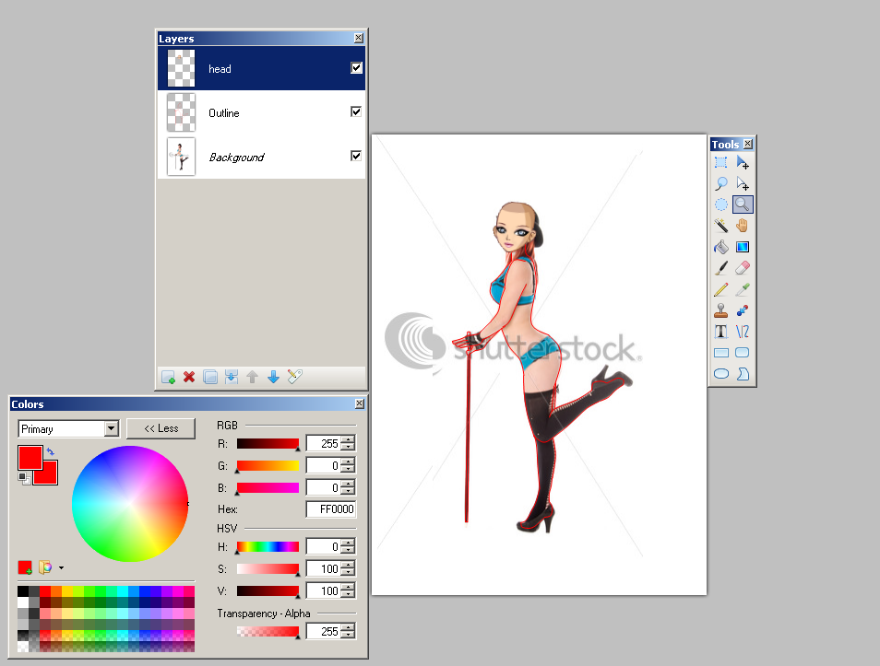
Now you can remove the background image and adjust the angle of the head if nessisary, be aware though that the more you twist it the fuzzier it becomes. As you can see I also chose to include the cane.
Create a new layer under the outline and fill it with your chosen skin tone (use the face colours as your guide).
Select the area around the outline and after clicking on the skin colour delete the excess.
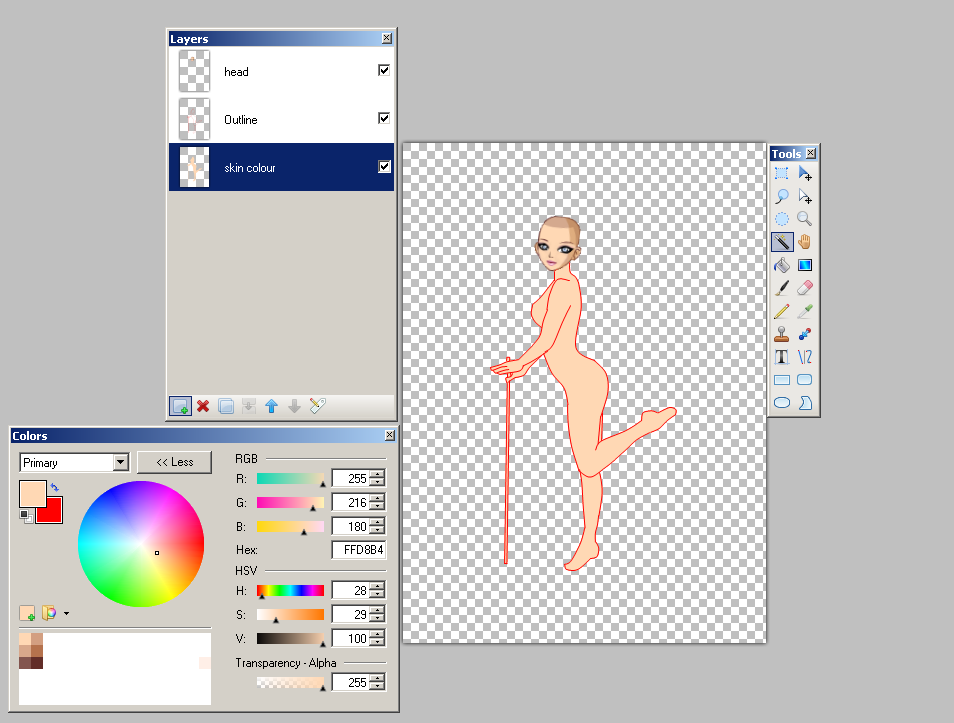
The rest of the process is the same for editing clothes. Create shading using the colours on the face as a guide. Blur and blend until you are happy with the result and change the colour of the outline before merging everything together.
TO BE CONTINUED AT A LATER DATE
